


Cocobi World 1 - Kids Game
4.229.00 Reviews
App Specs
- Version
- 1.0.17
- Updated On
- License
- Free
- Downloads
- 10,000,000+
- Developer
- KIGLE
- Categories
- Educational
- Platform
- Android, iOS
Screenshots




 Analysis by AppCompare
When I judge a children’s game by its value, I start with a simple question: what can a family try without paying, and what might cost extra? Cocobi World 1 - Kids Game is free to download, so a parent can begin by seeing whether its playful style suits their child. It also offers in-app purchases at $3.49 per item, which means “free” describes the starting point, not necessarily every available option. I’d check the purchase choices with an adult before handing over a device, especially if a child can navigate menus on their own.
That price setup makes the first decision fairly practical. You do not need to commit to a purchase just to find out whether your child enjoys the game’s world, but it is sensible to keep purchase controls in mind. I would treat any optional spending as a separate decision rather than assuming the free download includes everything a family might want. That distinction matters most when the game is being used on a shared phone or tablet.
What free access can tell you
The free starting point is useful because children vary widely in what holds their attention. One may happily return to colorful characters and simple activities; another may prefer a game with a clearer learning sequence or a specific subject focus. I’d let a child try it during a short, supervised session before deciding whether it earns a place in the regular app rotation. That is a more reliable test than choosing based on a bright icon or a broad educational label.
The game is rated for Everyone, and KIGLE is the developer. Its current version is 1.0.17, and it runs on Android 7.0 or later. Those details help with basic suitability and device compatibility, but they do not tell you how a particular child will respond. The practical test is whether the child can follow the activities comfortably and whether you are happy with the amount of screen time it encourages.
Immersive Learning Adventures
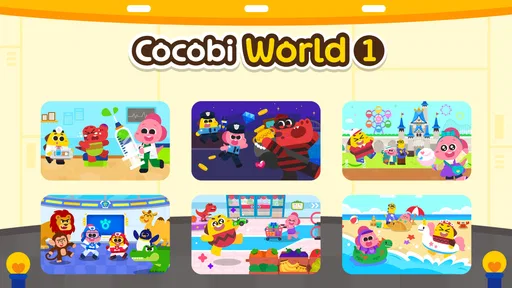
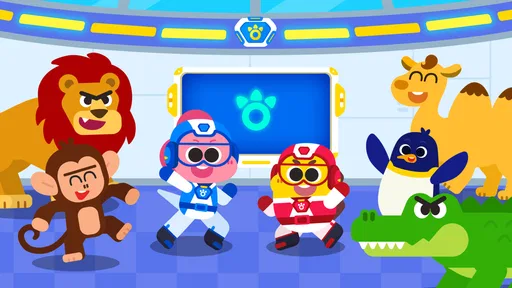
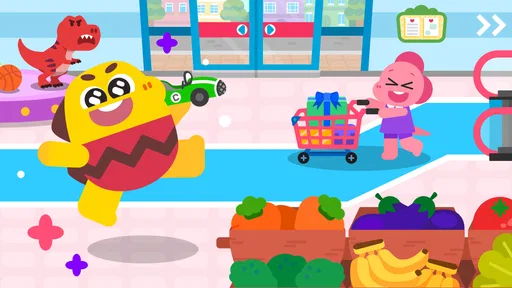
From the moment I opened Cocobi World 1, I was greeted with eye-catching graphics and cheerful music that immediately set the tone for a fun experience. The app is designed for kids, but I found myself equally enthralled by the vibrant visuals and catchy tunes. It’s like a playground on your device, but with a twist—it's educational!
The app is packed with mini-games and activities that are not only entertaining but also educational. Whether it's solving puzzles, matching shapes, or engaging in creative tasks, there's something for every curious mind. I noticed how these activities cleverly incorporate lessons in counting, colors, and problem-solving, making learning feel like a seamless part of play.
Engaging and Intuitive Gameplay
One of the things I appreciate about Cocobi World 1 is how intuitive it is. The interface is designed with kids in mind, meaning it's straightforward and easy to navigate. Even the youngest users can easily figure out how to move from one activity to another. The app doesn't overwhelm with complicated instructions, allowing kids to explore and learn independently.
Worth Reading Before You Choose

Flipboard Shows What News Apps Must Do Beyond the Feed

Switching to Android Auto Means Rethinking Your Driving Routine

Google Calendar Makes a Crowded Week Easier to Manage

Ludo King Makes the Most of the Minutes Between Plans

Baby Panda World Brings Quick Play to Modern Phones, but Its Game Library Feels Busy

ESPN’s Live Game View Makes Following Close Games Easier
I also appreciated the variety of challenges and activities. It keeps the experience fresh and exciting. From guiding characters through mazes to decorating cakes, the tasks are diverse, ensuring that kids remain engaged and entertained for extended periods.
Choosing it for a child’s routine
I see the best use for this game as a short, self-contained play break rather than a substitute for a planned lesson. For example, while dinner is being prepared, a parent could sit nearby and let a child choose an activity, then ask them to explain what they did once the meal is ready. That small conversation can turn a screen break into a chance to practise describing choices or thinking through a puzzle, without making play feel like homework.
There is also a useful way to manage variety: invite the child to pick a different kind of activity on each visit instead of letting them repeat the easiest one every time. A maze and a creative task call for different kinds of attention, so switching between them can help a parent see what the child actually enjoys. I would keep sessions brief if the child starts tapping through without engaging; more time is not automatically more learning.
Compared with flash-card apps or narrowly focused number and letter games, this feels more like a collection of playful diversions than a structured course. That is a strength for a child who resists drills and responds better to colorful interaction. It is less suitable if a parent wants a visible progression through a curriculum, practice in one particular subject, or a clear way to measure learning. For those needs, a focused learning app, a book, or an offline activity may be a better fit.
Kid-Friendly Design and Safety
Safety is a crucial aspect when it comes to apps for kids, and I was relieved to see that Cocobi World 1 takes this seriously. The app is free from any inappropriate content, and there are no pesky ads interrupting playtime. It’s a safe digital space where kids can explore without parents having to worry about what they might stumble upon.
Another thing worth mentioning is the app's lack of in-app purchases. This makes it easier for parents to let their kids enjoy the game without the fear of unexpected charges. It's a small detail, but it makes a big difference in peace of mind.
Keeping the experience manageable
Because the game is intended for young players, I would still introduce it alongside an adult rather than assuming that a child will understand every screen immediately. A quick first walkthrough can show where activities begin and help you notice whether the child is comfortable navigating between them. After that, letting the child choose independently can make the experience feel more rewarding, while staying close enough to help if they get stuck.
I would also make purchase settings part of the setup routine. The game has in-app purchases, so the earlier reassurance about there being none should not be taken literally. The free download and optional paid items are different parts of the cost picture. An adult should review the purchase controls on the device and explain that any spending needs permission. This is a small but meaningful step for a game used by a child.
Another trade-off is that colorful visuals and cheerful music are part of the appeal, but they may not suit every child or every moment. If your child is easily distracted by sound, try the game in a calm setting and see whether the audio helps or gets in the way. If you need a quiet activity, a picture book, drawing materials, or a no-screen puzzle may be a more comfortable choice. I would also avoid relying on any game as a guaranteed way to keep a child occupied for a long stretch; attention and mood vary from day to day.
Room for Improvement
While I found Cocobi World 1 to be a delightful app, there's always room for improvement. For instance, adding more languages could make the app accessible to a broader audience. Additionally, incorporating a feature that allows parents to track their child's progress could be beneficial for those looking to monitor learning outcomes.
Despite these minor areas for enhancement, the app does a commendable job of providing an educational and entertaining experience for kids.
Who is most likely to get value
I’d recommend giving it a try if you want an accessible, playful option for a child who enjoys switching between different kinds of activities. Its educational-game category, Everyone content rating, and free download make it an easy candidate to test, while the paid items mean families should make their own call about any extra spending. The game has an average rating of 4.0 from around four thousand ratings, with about twenty-eight written reviews, and more than five million installs. Those figures suggest it has reached many families, but they cannot tell you whether it will match your child’s tastes.
It may be a poor match for an older child looking for complex strategy, a parent seeking detailed progress reports, or a family that wants a tightly sequenced teaching tool. I would also skip it if the child is not interested in character-led, colorful play and would rather build, read, or explore outdoors. The best educational app is not automatically the one with the most activities; it is the one a child can enjoy without a parent having to force the experience.
Final Thoughts
All in all, Cocobi World 1 - Kids Game is a fantastic app that promises a world of fun and learning for children. Its engaging activities and safe environment make it a standout choice for parents seeking educational apps. Whether it's a rainy day indoors or just some quiet time at home, this app offers a wonderful way for kids to learn and play simultaneously.
So, if you're on the lookout for a game that will keep your little ones entertained while also teaching them something new, give Cocobi World 1 a try. It's like having a fun-filled classroom right at your fingertips!
My recommendation on cost and fit
For me, the sensible verdict is to start with the free download, watch how the child uses it, and decide about optional purchases only after seeing a real reason to spend. I would not buy anything simply because it is available; the value depends on whether the child returns to the activities and enjoys them without needing constant help. If the free experience already suits your family, there is no need to turn a casual play option into a larger commitment.
KIGLE’s game has been available since January 17, 2023, and the current Android version is 1.0.17. I’d consider it a convenient extra for younger children who enjoy cheerful, varied play, not a replacement for books, conversation, or hands-on learning. Try it together first, set clear purchase boundaries, and keep it only if it genuinely works for your child’s routine.
Pros
- Engaging and colorful graphics.
- Wide variety of mini-games.
- Kid-friendly interface.
- Encourages learning through play.
- Regular content updates.
Cons
- In-app purchases can be frequent.
- Requires internet for some features.
- Limited parental controls.
- Some games may be too simple.
- Ads can interrupt gameplay.
FAQs for Cocobi World 1 - Kids Game
What is Cocobi World 1 - Kids Game about?
Cocobi World 1 is an interactive educational game designed for children. It offers a variety of activities focused on learning and entertainment. Kids can explore different worlds, solve puzzles, and engage in creative tasks that enhance their cognitive and motor skills. The game is suitable for young learners seeking fun and educational content.
Is Cocobi World 1 safe for children to use?
Yes, Cocobi World 1 is designed with children's safety in mind. The app features age-appropriate content with no explicit materials. It also includes parental controls, allowing parents to manage screen time and monitor their child's progress. The game is free from ads, ensuring a distraction-free experience.
What platforms is Cocobi World 1 available on?
Cocobi World 1 is available for download on both Android and iOS platforms. Users can find it on the Google Play Store and the Apple App Store. It is compatible with most modern smartphones and tablets, ensuring a smooth and engaging experience for all users.
Does Cocobi World 1 offer in-app purchases?
While Cocobi World 1 can be enjoyed for free, it does offer optional in-app purchases. These purchases can unlock additional content and features, enhancing the overall experience. Parents can disable in-app purchases through device settings to prevent unauthorized transactions by their children.
What age group is Cocobi World 1 suitable for?
Cocobi World 1 is ideal for children aged 3 to 7 years. The game features age-appropriate challenges and activities that are both educational and entertaining. It aims to support early learning by offering interactive content that nurtures creativity, problem-solving, and cognitive development.


